

Drake AI Video: Take Drake's Spot in the Burning Bridges Party
The Drake AI video filling your feed is the party scene from Drake's "Burning Bridges" music video, recast with a new person holding the silver cup. Upload one photo and that person is you: a recreated version of the scene with the same chandeliers, camera moves and song, and you in Drake's role as the lead.
Drake AI video generator: start with one photo
A failed render costs you nothing.
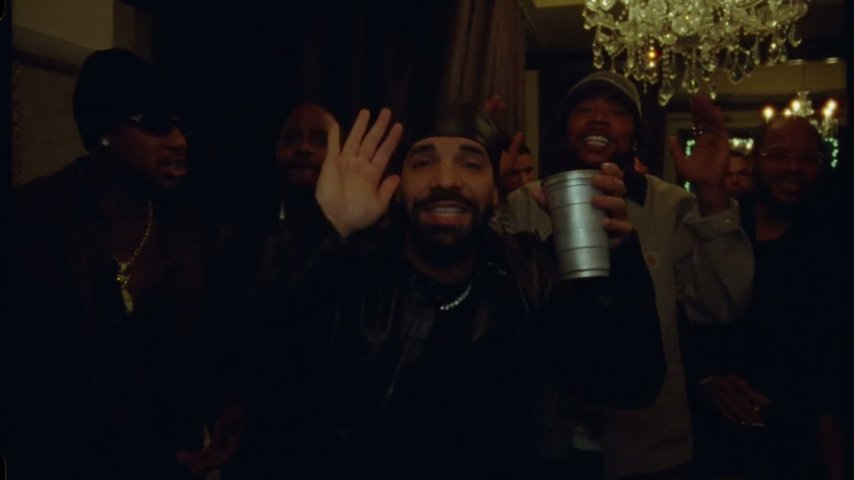
Which Drake AI video is everyone making?
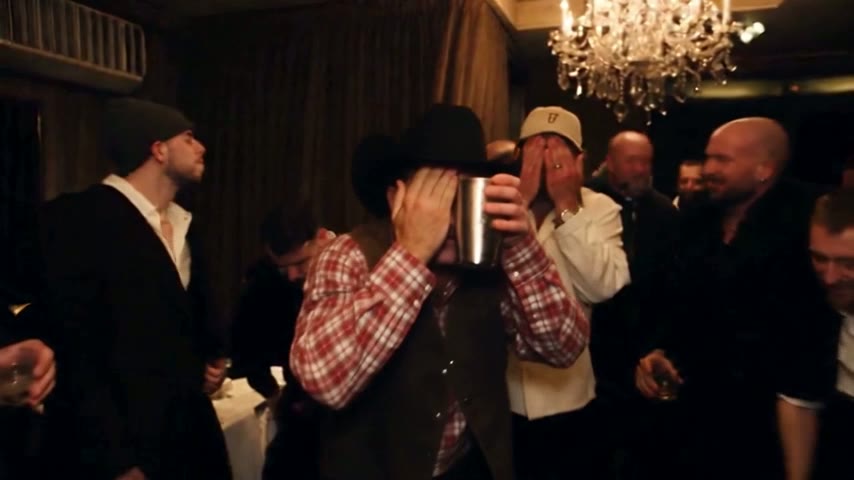
Almost every Drake AI video you see right now copies one moment: the private-room party near the end of the "Burning Bridges" music video. Drake, in a black durag and leather jacket, holds a silver cup to the lens, points and waves while his crew celebrates behind him. Since late September 2026 people have used AI to put themselves, friends and TV casts in his place; the Burning Bridges AI video generator does that from one photo, on a recreated version of the scene.
- The song and the video"Burning Bridges" is on Drake's 2026 album Iceman. The video went up on his YouTube channel on 15 May 2026. How the remixes took off is on the Burning Bridges trend page.
- Where the party startsThe video opens with a woman in black walking through a restaurant kitchen. Around 1:24 the handheld camera enters the chandelier-lit dining room, where the remade part begins.
- The "where she at" waveFans named the closing gesture "where she at": a flat hand by the forehead, looking around the room, cup beside the face. Every length here includes it.
What a Drake AI video looks like when it is done
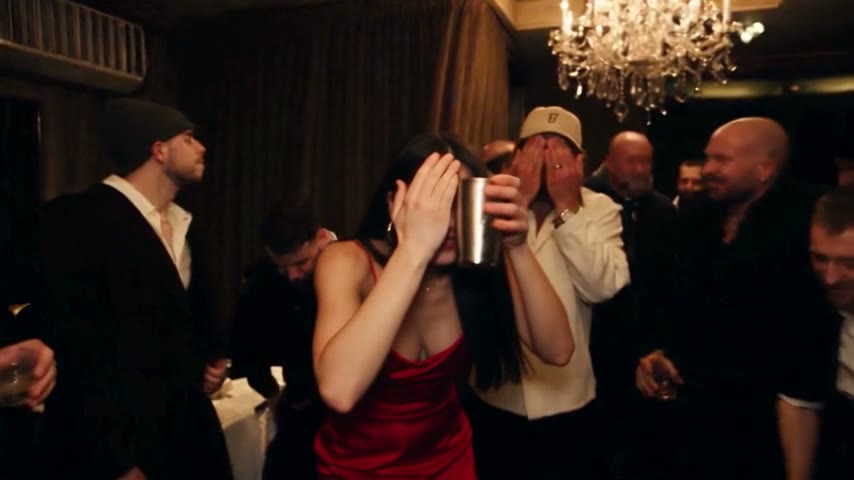
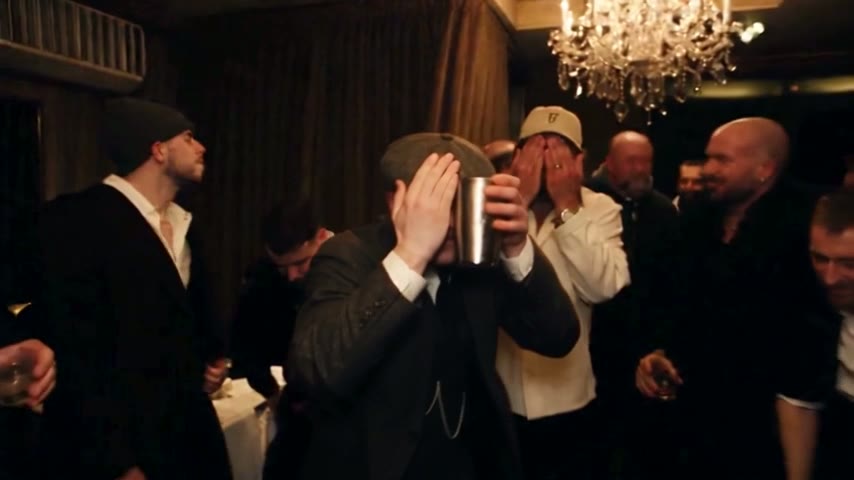
The AI works on a recreated version of the party scene and changes only the lead, so the room, the guests and the camera match the music video.
Only the lead changes
The lead becomes the person in your photo. The dining room, the chandeliers and the guests with silver cups stay put.
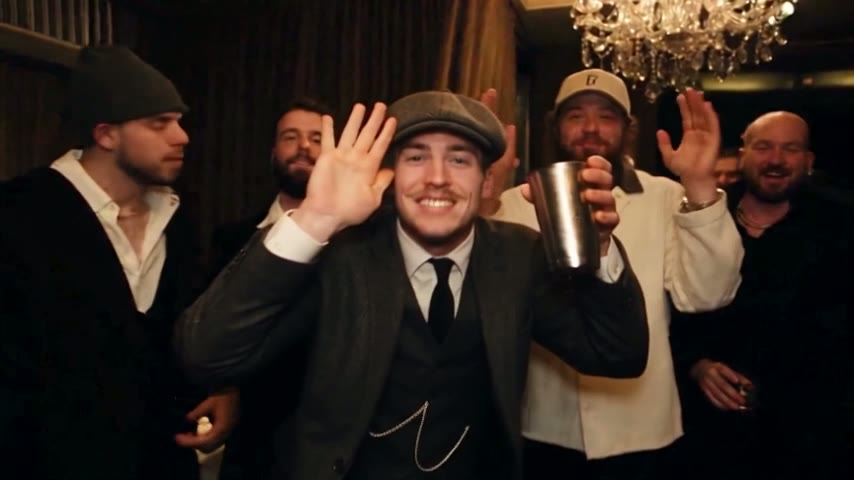
The moves follow the original
Reaching out to the crew, the hand over the eyes and the cup raised in a wave follow the original choreography, performed by you.
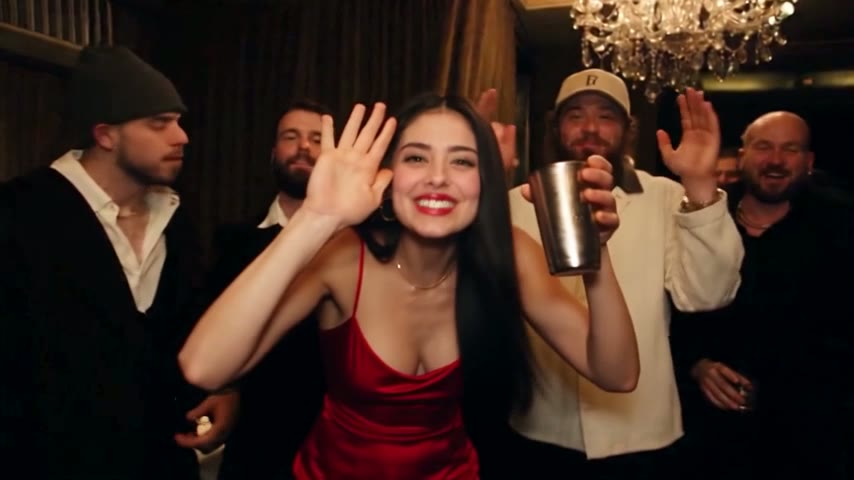
Your hands, too
The AI copies hands and wrists from the photo, so a half-body shot with both hands showing works best.
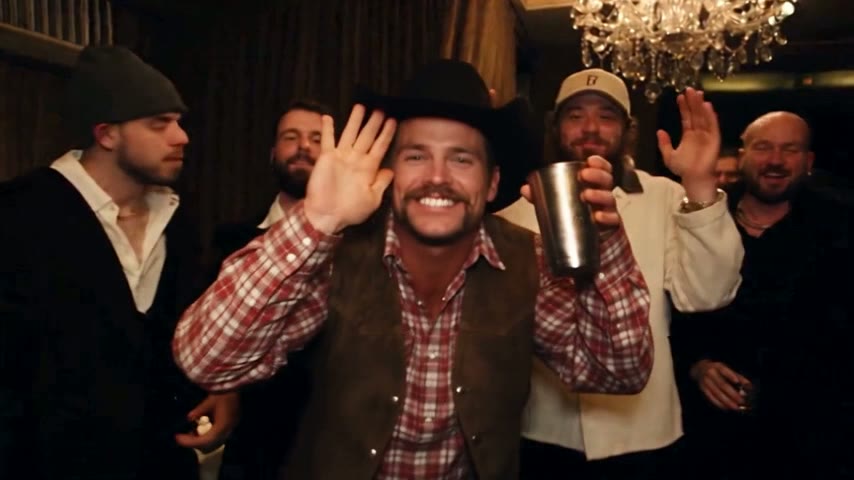
Make your Drake AI video in three steps
Footage, song and instruction are preloaded, so there is nothing to cut or write. A longer walkthrough with photo examples is in how to make a Drake AI video.
Upload one photo
Your own picture, or a friend who said yes. One person, face clear, even light. Photos of celebrities or public figures are rejected.
Pick length and quality
5, 15 or 28 seconds, in Standard (480p) for phones or HD (720p) for bigger screens.
Download and post
In about 3 minutes for 5 seconds, or 5 to 10 for longer cuts, the MP4 is ready in your browser, on phone or desktop, with no app to install.
What this Drake AI video generator gives you
Each render is a finished clip you can post as it is.
The original song
The clip keeps the music from that part of the video. Many creators also pick the official "Burning Bridges" sound in TikTok or Instagram.
The music video's own frame
Widescreen 16:9 MP4, uncropped, the same frame as the music video. It posts to TikTok, Reels, Shorts, X and YouTube.
Three lengths, one wave
5 seconds (Standard only) for the "where she at" moment, 15 seconds for 2:42 to 2:57 of the video, ending on the wave, or 28 seconds for the full party stretch, about 2:38 to 3:05.
A preset, not a prompt
The scene and the instruction are fixed, like a ready-made Burning Bridges AI template. Your only input is the photo.
Video, not a voice
Searches for "Drake AI" often lead to voice or cover-song tools, which make audio. This makes the music-video scene.
Keep reading
Tutorial, backstory and the template approach.
Drake AI: a video tool, a voice tool or a manual edit
"Drake AI" covers several different things. This table shows which one makes the party-scene clip.
| One photoAI Burning Bridges Video | Voice toolsDrake-style voice, covers, speech | Manual editHiggsfield, Kling, Dreamina + CapCut | |
|---|---|---|---|
| What comes out | The party scene with you in it | Audio | A clip you assemble |
| What you provide | A single photo | Text or a recording | A cut clip, a photo and written instructions |
| Room and camera as in the music video | Depends on your clip and wording | ||
| Song from the scene | Added afterwards in CapCut or TikTok | ||
| Instruction to write | Depends on the tool |
Drake AI video questions
What is the Drake AI video on TikTok?
It is Drake's party scene from the "Burning Bridges" music video with someone else edited in as the lead. The chandeliers, the crew and the song stay, and it ends on the "where she at" wave. Versions appeared in late September 2026 and tutorials spread around 8 October.
Which Drake song is in the AI videos?
"Burning Bridges", from his 2026 album Iceman. The music video came out on 15 May 2026 and had around 27 million views by mid-October. The remakes use the party near the end, roughly 2:38 to 3:05, not the kitchen footage at the start.
Is this a Drake AI voice generator?
No, it makes video only. Voice, cover-song and text-to-speech tools found under "Drake AI" generate audio, a different job. Here a photo becomes the music-video scene with that person in Drake's place and the original song playing. Nothing here creates speech or vocals.
How do I make a Drake AI video of myself?
Upload one clear photo of yourself, ideally half-body with both hands visible, pick 5, 15 or 28 seconds and Standard or HD, then wait about 3 to 10 minutes depending on length. You get an MP4 of the party with you holding the silver cup, and nothing to edit.
Can I use a photo of a celebrity or my pet?
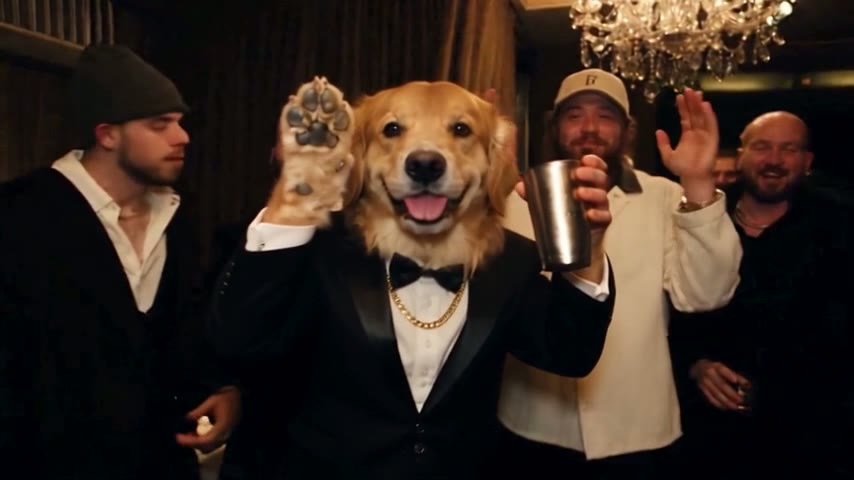
Celebrities and public figures are rejected, so use your own face or a friend who agreed. Pets and cartoon characters sometimes work, but people work best, ideally with the face evenly lit. A filtered render is not charged; the credits return to your balance.
Can I get a Drake AI video for free?
Every render here is paid. You can watch the sample videos before buying, and failed or filtered renders cost nothing. The Burning Bridges AI free page compares the free routes people try and the cheapest way to get one finished video.
How are videos paid for?
Through a monthly or yearly plan or a one-time credit pack. Plans count Standard videos: one 15-second 480p video is one Standard video, while a 28-second or a 15-second HD video uses three. Current plans are listed on the AI Burning Bridges Video pricing page.
Is AI Burning Bridges Video connected to Drake?
No. AI Burning Bridges Video is an independent fan-made tool, not affiliated with Drake or his label. It edits a recreated version of the music-video scene so you can join the trend from one photo, with no official role in the song or the video.
Your turn with the silver cup
One photo, a few minutes, and your Drake AI video is ready. Watch the samples first if you like.