
Burning Bridges AI Template
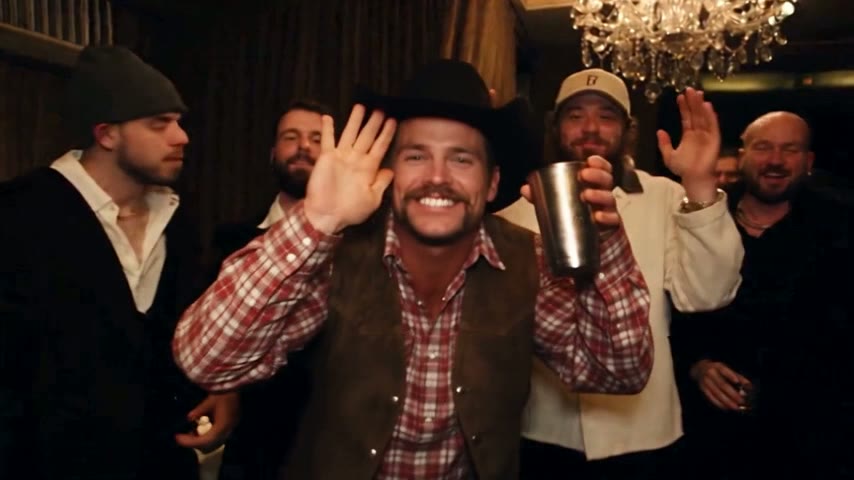
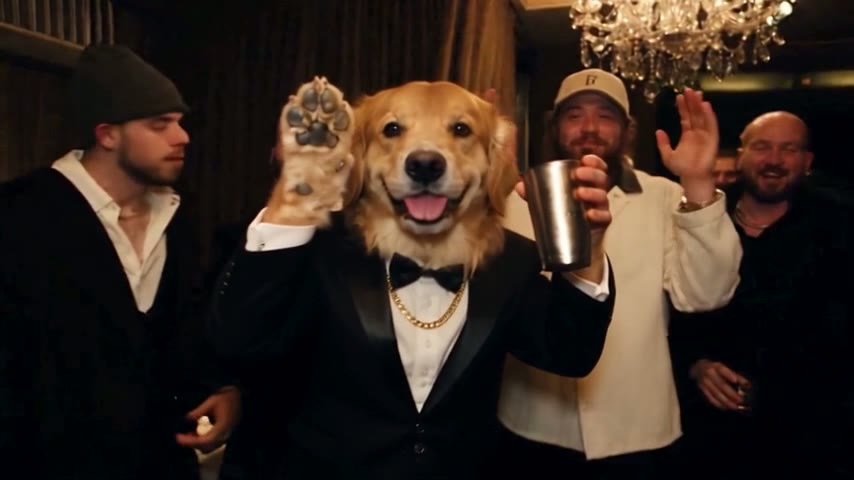
This Burning Bridges AI template already holds Drake's party scene, recreated: the chandelier room, the handheld camera moves, the original song and the written instruction are loaded before you arrive. Add one photo and that person takes Drake's place as the lead, among the same guests.
Drop your photo into the party scene
A failed render costs you nothing.
What a Burning Bridges AI template actually contains
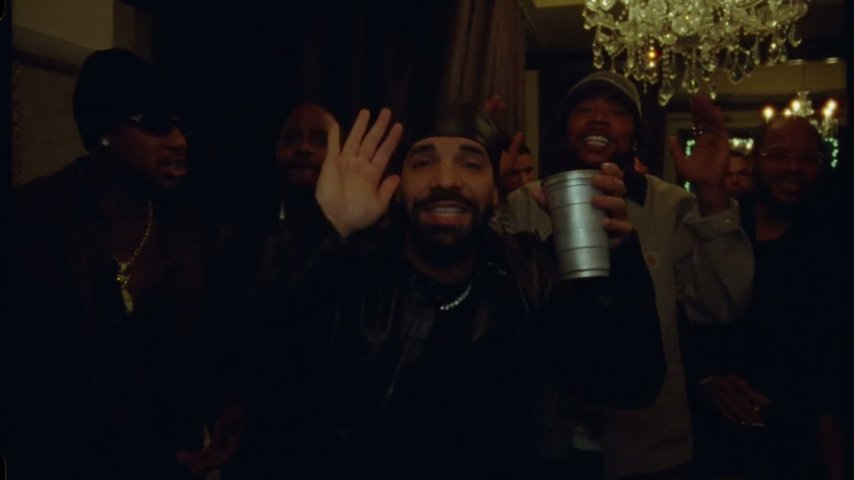
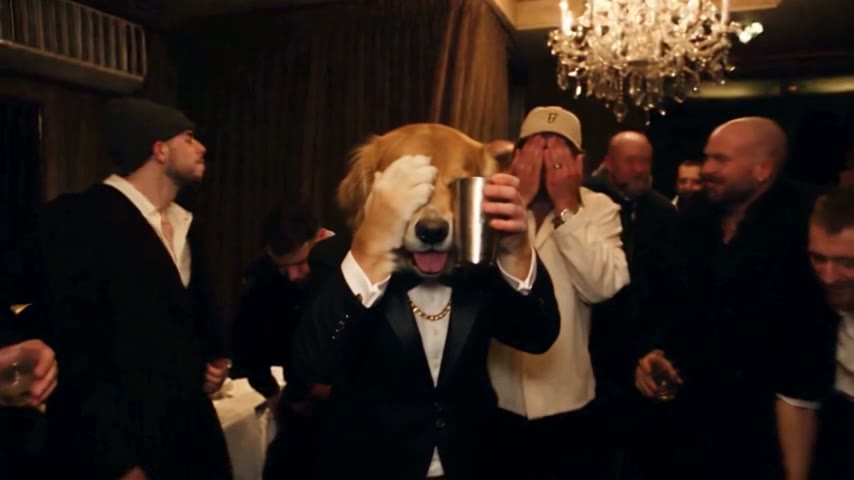
A Burning Bridges AI template is a scene where everything except the lead is decided in advance, and on Burning Bridges AI that scene is the music video's party, recreated with the same room, camera moves and choreography. The person from your photo takes the role Drake had in the black durag and leather jacket.
- The sceneThe 15-second cut ends on the "where she at" wave, matching 2:42 to 2:57 of the official video. The 5-second cut is that moment alone, and the 28-second cut covers the whole party stretch, about 2:38 to 3:05.
- The camera moveThe handheld walk-in, the close-ups and every reframe follow the music video, so your version moves through the room like the original.
- The song and the instructionThe song from that part of the video plays on the finished MP4, and the wording that tells the AI what to replace is already written. You never type a prompt.
Why a preloaded scene saves you the retries
By hand, you cut the party scene, write an instruction for a tool such as Kling or Dreamina, then add the sound in CapCut or TikTok, and tutorials warn it often takes three to five tries. The guide on how to do Burning Bridges AI covers that route; here those jobs were done once, in advance.
The whole person is replaced
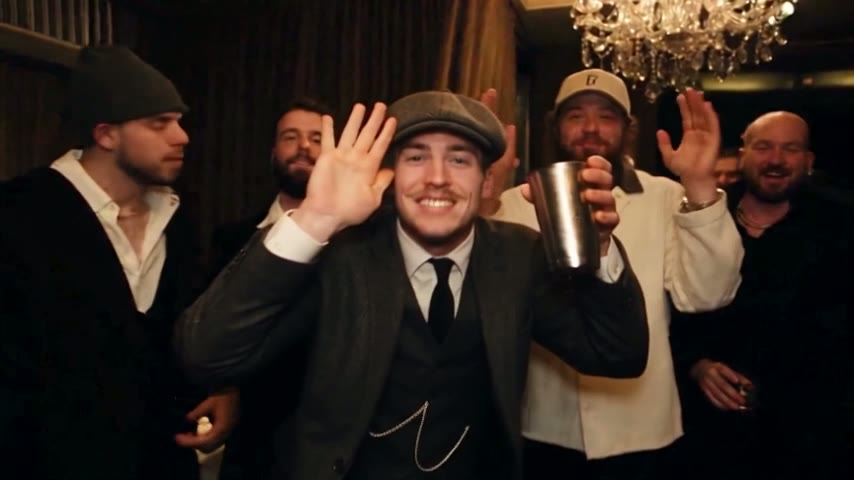
Face, hair, clothes, hands and wrists all come from your photo; nothing is pasted on top. The guests, the room and the camera around you do not change.
Moves that match the original
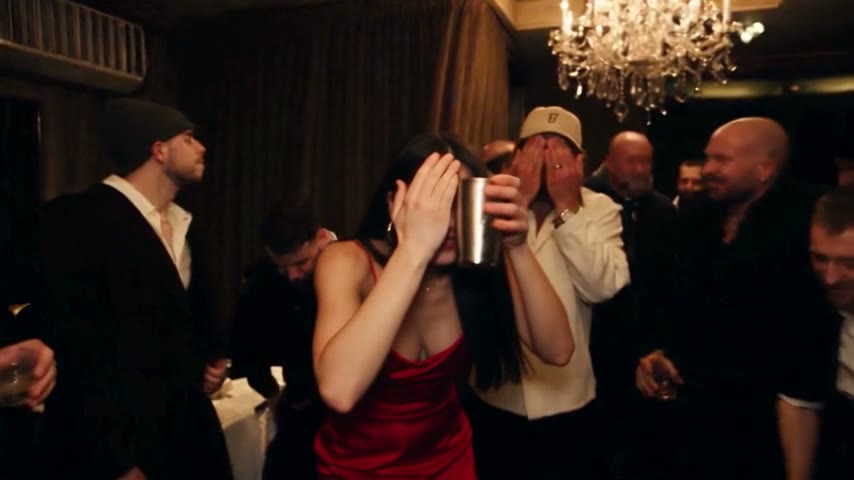
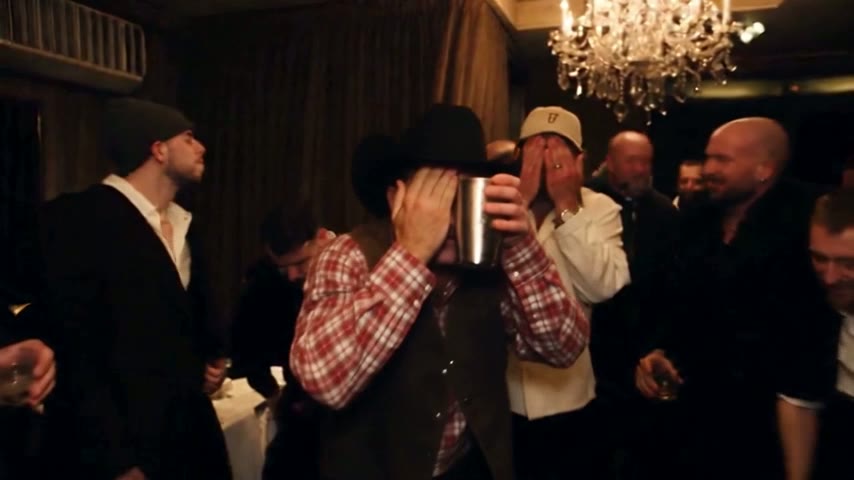
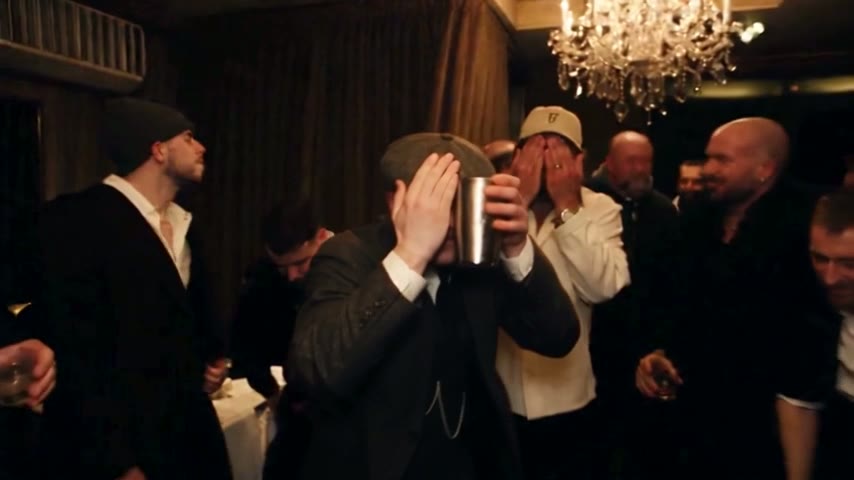
Reaching out to the crew, the hand over the eyes and the cup-raised wave follow the original choreography, so viewers recognise the moment within a second.
Widescreen, like the music video
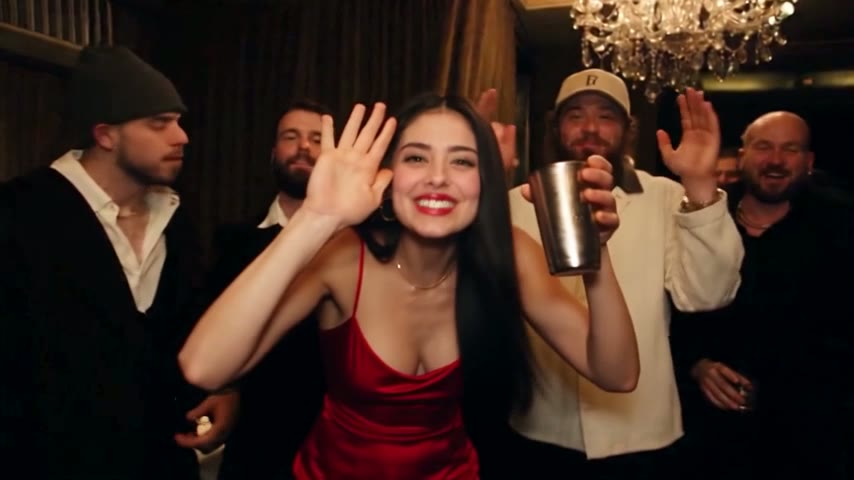
You get a 16:9 MP4 in the same frame as the official video, not a crop. It posts fine to TikTok, Reels, Shorts, X and YouTube.
How to use the Burning Bridges AI template
Three steps in any phone or desktop browser, with no app to install. If you came here looking for a Drake AI video, this is the same party scene.
Upload one photo
One person, face clearly visible and well lit. A half-body shot with both hands in view works best, since the AI copies your hands and wrists too. Use yourself or a friend who agreed.
Choose length and quality
5 seconds (the "where she at" moment, Standard only), 15 seconds, or the full 28 seconds. Standard (480p) is made for phones, HD (720p) is sharper on bigger screens.
Download the MP4
A 5-second clip renders in about 3 minutes, 15 or 28 seconds in about 5 to 10. Save it, then post it with its own sound or pick the official "Burning Bridges" sound from the app's library.
When a Burning Bridges CapCut template makes sense
Burning Bridges CapCut templates are made by template creators, so quality varies, and many paste a face over the original or rebuild a similar-looking scene rather than replacing the whole person. For some goals that is still the right pick.
You already edit in CapCut
If the CapCut app is already part of your routine, a CapCut template fits right in and lets you adjust text, timing or effects.
A face gag is enough
When only the face has to read, a face-paste template does the job; the clothes and hands stay Drake's.
You want the whole person
Here the party scene is recreated with the music video's room, camera moves and choreography, and the whole lead, body included, comes from your photo.
You want a different scene
Neither fits. A general AI video platform driven by your own words lets you change the room, the crew or the music.
Related guides
Other ways to make the clip, and what to check first.
Burning Bridges AI template vs a CapCut template
Both are ready-made; the difference is how you end up in the scene. A third route, where you bring your own clip and wording, is in the Burning Bridges Higgsfield guide.
| AI Burning Bridges Videoone photo | CapCut templatemade by template creators | |
|---|---|---|
| How you appear | The whole person, rebuilt from your photo | Often a pasted face or a lookalike scene |
| The scene | Recreated room, camera moves and original song | Whatever each creator assembled |
| Consistency | The same scene on every render | Quality varies by template |
| Where it runs | Any phone or desktop browser | Inside the CapCut app |
| Edit the scene yourself | Not possible |
Burning Bridges AI template FAQ
Where can I find a Burning Bridges AI template?
You are on one. The template on this page already holds the recreated party scene, the camera moves, the song and the instruction, so the only thing you add is a photo. It runs in any phone or desktop browser, and the widescreen MP4 is ready in 3 to 10 minutes, depending on length.
Is there a Burning Bridges CapCut template?
Yes. Template creators have published several, and you use them inside the CapCut app. Quality varies, and many paste a face over Drake or recreate a similar-looking room. If you want the whole person rebuilt from one photo in a faithful recreation of the scene, use the generator on this page instead.
Is the Burning Bridges AI template free?
No, every video is paid and there are no free credits. You can watch the sample videos before buying, and a render that fails or gets filtered is never charged: the credits go straight back to your balance. The Burning Bridges AI free page lists everything you can check without paying.
How many credits does one video use?
Plans count Standard videos, and one Standard video is a 15-second 480p video, or 100 credits. A 28-second video uses 3 Standard videos, a 15-second HD video also uses 3, a 28-second HD video uses 6, and a 5-second clip costs 35 credits. Monthly and yearly plans plus one-time packs are on AI Burning Bridges Video pricing.
Will TikTok or Instagram recognise the sound?
They may, because the clip keeps the original song from that part of the music video. Many people post with the official "Burning Bridges" sound chosen from the app's library instead. We cannot promise anything about copyright, so read each platform's music rules before you publish.
Which photo gives the best result?
A well-lit photo of one person with the face clearly visible. Half body with both hands showing works best, because the AI copies hands and wrists from the picture. Use yourself or a friend who agreed. Celebrity and public-figure photos get rejected; pets and cartoon characters may work, but people work best.
Is this an official Drake template?
No. AI Burning Bridges Video is an independent fan-made tool, not affiliated with Drake or his label. It recreates the party scene from the official music video for the Iceman track, released on Drake's YouTube channel on 15 May 2026, so fans can take the lead role for a few seconds.
The Burning Bridges AI template only needs your photo
Scene, camera moves, song and instruction are ready. Upload one photo and download your widescreen clip in 3 to 10 minutes, depending on length.